
You do not need to walk to your equipment pad in the dark to turn on the spa. You do not need to guess whether the pump is running. A WiFi pool controller puts your entire pool system on your phone screen. It gives you pump speed control, heater temperature adjustment, lighting scenes, and chemical monitoring from anywhere you have internet access.
The best WiFi pool controller for your setup depends on what equipment you already own, not just which app looks the nicest. Mixing brands between controller and equipment locks you out of the features you paid for. This guide covers every major WiFi pool controller with real compatibility requirements, actual installed costs, and the specific features each one delivers.
| Photo | Best Above-Ground Pools | Price |
|---|---|---|
|
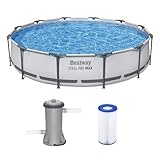
Bestway Steel Pro MAX 12' x 30" Above Ground Swimming Pool Set with Pump | Check Price On Amazon |
|
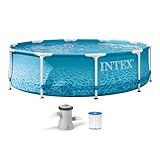
INTEX Beachside Metal Frame 10ft x 30in Round Pool Set w/Pump | Check Price On Amazon |

|
H2OGO! Kids Splash-in-Shade 8-Foot Round Steel Frame Above Ground Pool with Water Mister and Canopy Sunshade, Green Tropical Leaf Print | Check Price On Amazon |
By the Numbers
WiFi Pool Controllers – Key Numbers at a Glance
Sources: Manufacturer specifications, EPA Energy Star pool pump data, PHTA industry survey
What Is a WiFi Pool Controller and How Does It Actually Work?
A WiFi pool controller is a hardware module that connects to your existing pool equipment and links it to your home WiFi network. The controller communicates with your pump, heater, salt chlorine generator, valve actuators, and lights using low-voltage RS-485 communication protocol, not simple on/off switching.
This matters because RS-485 is a two-way data channel. The controller reads real-time data from each connected device: pump RPM and wattage draw, heater inlet and outlet temperatures, salt cell production percentage, and water temperature from sensors in the plumbing. It then sends commands back to adjust pump speed, change heater set point, or switch valves between pool and spa mode.

- Intelligent Navigation with Full Coverage: Equipped with 11 high-precision sensors and enhanced dual-path algorithms. The optimized WavePath cleaning pattern ensures systematic coverage with minimal overlap, while adaptive navigation analyzes pool layout in real time to eliminate missed spots
- Dual Filtration for Crystal-Clear Water: Advanced dual-layer filtration system features a replaceable 3-micron ultra-fine filter paired with a 180-micron standard filter. Effectively captures fine dust, sand, leaves, and debris for visibly cleaner and healthier pool water
- Comprehensive Pool Cleaning: Engineered to clean the pool floor, walls, waterline, and shallow areas (above 12 inches). The Caterpillar Treads system enhances mobility and climbing ability, ensuring thorough coverage across all pool zones
- Reliable Performance with 2-Year Warranty: Trusted by over 500,000 pool owners worldwide, this robotic pool cleaner delivers consistent, high-performance results. Built for durability and backed by a 2-year warranty and responsive customer support for worry-free ownership
This only works when the controller and the equipment speak the same digital language. Pentair IntelliConnect uses Pentair’s proprietary RS-485 protocol. Hayward OmniLogic uses Hayward’s protocol. Jandy iAquaLink uses Jandy’s. A Pentair controller cannot command a Hayward variable speed pump beyond basic on/off relay switching, which defeats the entire purpose of buying a smart controller.
The WiFi module inside the controller maintains a persistent connection to your router. When you open the app on your phone and tap “heat spa to 102°F,” the command travels from your phone to the manufacturer’s cloud server, then back down to the controller on your equipment pad via your home internet connection. Latency is typically 2 to 5 seconds.
If your home WiFi goes down, most controllers continue running the last active schedule stored in onboard memory. The pump does not shut off when the internet drops. You lose remote control but local scheduling continues.
Top WiFi Pool Controllers Compared: Which System Fits Your Equipment Pad?
Four manufacturers dominate the WiFi pool controller market: Pentair, Hayward, Jandy, and Fluidra (which owns Jandy and Polaris). Each ecosystem has specific compatibility requirements. The wrong choice means you pay for features your equipment cannot use.
Use the comparison table below to match your existing equipment brand to the correct controller. Mixing brands across controller and equipment results in basic relay control only: no variable speed adjustment, no heater temperature feedback, no salt cell diagnostics.
Product Comparison
Top WiFi Pool Controllers – Side by Side
Use the table below to match your equipment brand to the right controller.
| Controller | Compatible Equipment | Installed Cost | Mobile App | Best For |
|---|---|---|---|---|
| Pentair IntelliConnect | Pentair IntelliFlo, SuperFlo, MasterTemp, IntelliChlor, IntelliBrite | $300-$600 | Pentair Home | Pentair-only equipment pads, budget WiFi upgrade |
| Pentair IntelliCenter | All Pentair equipment plus limited third-party relay control | $1,200-$2,500 | Pentair IntelliCenter2 | Full automation with multi-body control, spa spillover, landscape integration |
| Hayward OmniLogic | Hayward EcoStar, TriStar, AquaRite, ColorLogic, HeatPro | $1,000-$2,200 | Hayward OmniLogic | Hayward ecosystem pools, advanced scheduling and automation |
| Hayward OmniHub | Hayward variable speed pumps, heaters, salt systems, valves | $500-$900 | Hayward OmniLogic | Mid-range Hayward automation, fewer relays than OmniLogic |
| Jandy iAquaLink 3.0 | Jandy VS FloPro, JXi heater, AquaPure, WaterColors lights | $800-$1,800 | iAquaLink | Jandy equipment pads, Alexa voice control integration |
| Intermatic PE653 + WiFi Module | Most variable speed pumps via relay control, basic heater on/off | $400-$700 | Intermatic Connect | Mixed-brand equipment pads, basic scheduling without proprietary integration |
Prices include controller hardware only. Professional installation adds $200-$500 for most systems. IntelliCenter and OmniLogic full systems require electrical subpanel installation which adds $500-$1,000.
For a deeper look at Hayward’s full automation platform including valve control, scheduling logic, and chemical monitoring integration, see our detailed Hayward OmniLogic review covering every feature, limitation, and real user experience.
What Makes WiFi Pool Control Worth the Investment?
A WiFi pool controller does three things that a basic timer clock cannot do. It lets you adjust pump speed remotely based on actual need, not a fixed schedule. It alerts you when equipment fails before you discover green water. It integrates heating, lighting, and water features into single-tap scenes that would require walking to the equipment pad and manually adjusting four separate devices.
The energy savings alone can justify the cost. A variable speed pump running at 1,500 RPM moves approximately half the water of full speed (3,450 RPM) while using roughly 20 percent of the electricity. With a WiFi controller, you can program the pump to run at 3,000 RPM for two hours for skimming action, then drop to 1,200 RPM for the remaining six hours to complete one full water turnover at minimum wattage.
This happens because pump affinity laws govern the relationship between speed and power consumption. Power draw decreases with the cube of the speed reduction. Running a pump at half speed uses one-eighth the power. Running it at 60 percent speed uses roughly 22 percent of full-speed power. A WiFi controller applies this physics automatically across your daily schedule.
This only occurs when the controller has full digital communication with the pump via RS-485 protocol. If the controller can only switch the pump on and off via a relay, variable speed control is lost and you are stuck with whatever speed the pump’s onboard timer last used. The result is a smart controller that cannot do the one thing that saves the most money.
If your controller cannot adjust pump speed, you lose approximately $400 to $700 per year in electricity savings on a 20,000-gallon pool. Fix it by matching your controller brand to your pump brand before purchasing.
Price Comparison
WiFi Pool Controller Price Range by Tier
Controller hardware only, sorted lowest to highest. Professional installation adds $200-$1,000.
$300-$600
$400-$700
$500-$900
$800-$1,800
$1,000-$2,200
$1,200-$2,500
Prices verified at time of publication from major online pool equipment retailers. IntelliCenter and OmniLogic prices include bundled load center/subpanel hardware.
How to Choose the Right WiFi Pool Controller for Your Equipment Pad
Start by walking to your equipment pad with your phone camera. Take photos of the brand labels on your pump, heater, salt chlorine generator, and any existing control box. Brand matching determines which WiFi controller can actually communicate with your equipment digitally, not just switch it on and off.
Determine Your Equipment Brand Ecosystem First
Look at the manufacturer nameplate on your variable speed pump. If it says Pentair IntelliFlo, you need a Pentair controller (IntelliConnect or IntelliCenter) to get variable speed control through the app.
If it says Hayward EcoStar or TriStar VS, you need a Hayward OmniLogic or OmniHub. The same rule applies for Jandy VS FloPro pumps: only iAquaLink gives full digital control. A third-party controller like the Intermatic PE653 can turn these pumps on and off, but cannot adjust RPM remotely.
For salt chlorine generators, the compatibility rule is equally strict. A Pentair IntelliChlor cell requires a Pentair controller to display salt readings, adjust output percentage, and report cell life remaining in the app. A Hayward AquaRite requires OmniLogic or OmniHub. Without brand matching, the app shows nothing about your salt system status.
Count Your High-Voltage Devices That Need Relay Control
Every device that draws 120V or 240V and does not communicate via RS-485 needs a dedicated relay in the controller. Pool lights, booster pumps for pressure cleaners, single-speed pumps, and landscape lighting transformers each consume one relay. Most entry-level controllers include two to four relays. Full automation panels like IntelliCenter and OmniLogic include five to eight relays plus expansion slots.
Count your devices before choosing a controller tier. A simple pool with one variable speed pump and one pool light needs two relays. A complex setup with a variable speed pump, a booster pump, pool lights, spa lights, landscape lights, and a water feature pump needs six or more relays. Buying a controller with too few relays forces you into a subpanel upgrade later.
Check Your Home WiFi Signal Strength at the Equipment Pad
Stand at your equipment pad with your phone connected to your home WiFi. Run a speed test. If you get less than 2 Mbps download speed, the controller will struggle to maintain a reliable cloud connection. The WiFi antenna on most pool controllers is a small internal chip without an external antenna.
Controllers do not need high bandwidth. A stable 2 Mbps connection is sufficient for command transmission and status updates. Packet loss matters more than speed. If your phone shows frequent disconnections at the equipment pad, install a WiFi mesh node or outdoor access point before installing the controller. The equipment pad’s metal enclosure and nearby concrete walls both attenuate WiFi signals significantly.
Decide Which Features You Will Actually Use
Every WiFi pool controller app lets you turn devices on and off and set schedules. The feature differences that justify higher price tiers are: variable speed pump RPM adjustment with real-time wattage reporting, heater temperature feedback showing actual versus set point, salt cell production percentage adjustment with salt level reading, pH and ORP sensor integration for chemical monitoring, and multi-body control for pools with attached spas and water features.
Buy only the features that match your equipment. If you do not own a salt chlorine generator, skip controllers that charge a premium for salt system integration. If you have a single body of water with no spa, the multi-body valve control in IntelliCenter and OmniLogic is wasted. The Pentair IntelliConnect at $300 to $600 covers most single-body pool setups with Pentair equipment perfectly.
For most residential pools with a single pump, heater, and light, a mid-range controller like the Hayward OmniHub or Pentair IntelliConnect gives full digital control of all equipment without paying for unused automation features. The right pool LED lights integrated with a WiFi controller let you create color scenes and schedules that transform your backyard at sunset.
How to Install a WiFi Pool Controller: Step-by-Step Overview
Professional installation by a licensed electrician or pool technician runs $200 to $1,000 depending on whether the controller requires a new subpanel and dedicated circuit breakers. The controller itself mounts to a wall near your equipment pad and connects to your home’s electrical panel for power.
Every WiFi pool controller installation follows the same five-step process. The differences come down to whether you are replacing an existing mechanical timer with a full automation panel or simply adding a small WiFi bridge to existing equipment.
Step-by-Step Guide
WiFi Pool Controller Installation – 5 Steps
5 steps · Installation time: 2-6 hours for a licensed professional
Mount the controller enclosure on the wall near the equipment pad
The enclosure must be at least 5 feet from the pool edge per NEC code and within 6 feet of the equipment pad for RS-485 cable runs. Use the included mounting template to drill pilot holes into a solid wall surface.
Connect the controller to a dedicated circuit breaker in your electrical panel
Most controllers require a 15-amp or 20-amp 120V circuit. Full automation panels like IntelliCenter and OmniLogic often need a 240V feed with multiple breakers for pumps and heaters. This step must be done by a licensed electrician.
Wire the RS-485 communication cable between controller and equipment
Use 22-gauge 4-conductor shielded cable. Connect the data A and data B terminals on the controller to the matching terminals on the pump, heater, and salt system. The shield wire connects to ground at the controller end only to prevent ground loops.
Connect high-voltage devices to their assigned relays
Single-speed pumps, booster pumps, pool lights, and landscape lights each connect to a dedicated relay. Label each relay in the controller’s configuration menu so the app displays the correct device names instead of “Relay 1” and “Relay 2.”
Connect the controller to your home WiFi and configure the mobile app
The controller broadcasts a temporary setup WiFi network. Connect your phone to it, then enter your home WiFi credentials in the app. The controller joins your home network, creates an account on the manufacturer’s cloud server, and downloads any available firmware updates before becoming fully operational.
WiFi Pool Controller Cost Analysis: Hardware, Installation, and Annual Operating Costs
The total cost of adding WiFi control to your pool breaks into three parts: the controller hardware, professional installation labor, and the ongoing electricity cost of running the controller itself. Most pool owners focus only on the hardware price and are surprised by the installation bill.
A basic WiFi bridge like the Pentair IntelliConnect costs $300 to $600 for the hardware plus $200 to $300 for installation since it wires into an existing electrical box without major modifications. Total installed cost runs $500 to $900. A full automation system like the Pentair IntelliCenter or Hayward OmniLogic costs $1,200 to $2,500 for hardware plus $500 to $1,000 for installation because the installer must mount a new subpanel, run conduit, and install multiple circuit breakers. Total installed cost reaches $1,700 to $3,500.
The controller itself consumes 5 to 15 watts continuously to power its circuit board, WiFi radio, and relay coils. At the national average electricity rate of $0.14 per kilowatt-hour, 10 watts continuous draw costs approximately $12 per year. This is negligible compared to the pump electricity savings the controller enables.
For a variable speed pump running on a smart schedule versus a single-speed pump on a mechanical timer, the annual electricity savings typically range from $400 to $900. The payback period on the controller hardware runs 12 to 24 months for most mid-range installations. After that, the savings compound annually for the remaining 8 to 12 year life of the controller.
Common Mistakes When Buying a WiFi Pool Controller
Pool owners make five predictable mistakes when buying their first WiFi controller. Each mistake costs money, locks you out of features, or requires a second purchase to fix. Learn from the patterns that pool technicians see on service calls every week.
The first mistake is buying a controller from a different brand than your variable speed pump. The app will show the pump as connected, but all you can do is turn it on and off. Variable speed adjustment is lost. The second mistake is buying a controller with too few relays for your equipment count, forcing a costly expansion or replacement within the first year.
The third mistake is assuming all WiFi pool controllers work with Alexa and Google Home voice commands. Jandy iAquaLink integrates with Alexa natively. Pentair and Hayward require third-party workarounds through IFTTT or Home Assistant for voice control. The fourth mistake is ignoring WiFi signal strength at the equipment pad location, resulting in a controller that drops offline repeatedly and fails to execute scheduled commands.
The fifth mistake is overlooking the compatibility of your existing heater with digital control. Older millivolt heaters with mechanical thermostats cannot accept external temperature commands from any WiFi controller. They can only be turned on and off by a relay. The heater’s own thermostat knob still controls the temperature set point.
If you have a millivolt heater with a mechanical thermostat, the result is a WiFi controller that shows “heater on” in the app but cannot set or read the water temperature. Fix it by upgrading to a digital heater with RS-485 communication, or accept that you will still need to walk to the equipment pad to adjust the heater knob.
Buying Guide
Before You Buy a WiFi Pool Controller – 7-Point Checklist
Check off each point before making your decision. An unchecked item means potential incompatibility.
Can I Control My Pool Heater Remotely with a WiFi Controller?
Yes, a WiFi pool controller can remotely adjust your heater temperature set point and turn the heater on and off, but only when the heater has digital communication capability via RS-485 protocol. The controller reads the actual water temperature from a sensor in the plumbing and compares it to your set point, then sends a command to the heater to fire or stop.
This only works with heaters manufactured after roughly 2010 that include a digital control board with RS-485 terminals. Older millivolt heaters with a mechanical thermostat knob can only be switched on and off by a relay. The temperature set point remains whatever the knob is turned to on the heater itself. Gas heaters from Pentair (MasterTemp), Hayward (H-Series), and Jandy (JXi) all support digital remote control when paired with their matching brand controller.
If you have an older millivolt heater, the result is partial control: you can turn the heater on from your phone, but you cannot set the temperature. Fix it by either upgrading to a digital heater or accepting that you will adjust the knob manually at the start of each season.
Do WiFi Pool Controllers Work When the Internet Goes Down?
Yes, WiFi pool controllers continue to operate when your home internet connection drops. The controller stores all active schedules in onboard memory. The pump runs its programmed speeds at the correct times. The heater maintains its temperature set point. The salt chlorine generator produces chlorine at its set percentage.
What you lose during an internet outage is remote access from outside your home and the ability to make changes from the mobile app. If you are home and your local WiFi network is still functioning, some controllers allow direct local connection between your phone and the controller without going through the cloud server. Check your controller’s specifications for local control capability before buying if reliable offline operation matters to you.
Can I Install a WiFi Pool Controller Myself?
Installing a WiFi pool controller involves working inside your home’s electrical panel to add a new circuit breaker, which requires a permit and a licensed electrician in most jurisdictions. The low-voltage RS-485 communication wiring is straightforward for a DIYer with basic electrical knowledge, but the high-voltage connections to pumps, heaters, and relays are not.
Pool equipment operates on 240V circuits at 15 to 50 amps. Incorrect wiring creates a shock hazard near water and a fire risk at the equipment pad. A professional installation costs $200 to $1,000 depending on the controller type and protects you from code violations, insurance claim denials, and equipment damage from miswiring. The installation labor cost is not the place to save money on this purchase.
Which WiFi Pool Controller Works with Alexa or Google Home?
Jandy iAquaLink 3.0 offers native Alexa integration with voice commands for pool temperature changes, spa mode activation, and lighting control through the official Alexa skill. Google Home integration is available through the same iAquaLink skill. Pentair and Hayward controllers do not offer native Alexa or Google Home skills as of current firmware versions.
Pentair IntelliCenter and Hayward OmniLogic users can achieve voice control through Home Assistant or IFTTT intermediary platforms, but this requires technical setup beyond what most pool owners want to configure. The commands pass through a third-party automation server that adds latency and a potential point of failure. If voice control is a priority, Jandy iAquaLink is the clear choice.
Do I Need a WiFi Controller if I Already Have a Variable Speed Pump with Its Own Timer?
A variable speed pump with an onboard timer can run a fixed speed schedule without any external controller. The pump’s internal clock switches between pre-programmed speeds at set times of day. This setup saves electricity compared to a single-speed pump but has two major limitations.
First, the pump’s onboard schedule cannot coordinate with your heater, salt system, or lights. The heater may fire while the pump is at low speed, which provides insufficient flow for proper heat transfer and can trip the heater’s pressure switch. Second, you cannot adjust the schedule remotely. If a storm dumps debris in the pool and you want to increase pump speed for extra skimming, you must walk to the equipment pad and use the pump’s onboard control panel.
A WiFi controller solves both problems. It coordinates pump speed with heater demand automatically: when the heater fires, the controller ramps the pump to the minimum flow rate required for heat transfer, typically 30 to 40 GPM. It lets you override the schedule from anywhere for one-time events like post-storm cleaning or pre-party heating.
What Happens If My WiFi Controller Loses Connection Repeatedly?
Repeated WiFi disconnections from a pool controller are almost always caused by weak signal strength at the equipment pad, not a defective controller. The equipment pad is often the worst location on your property for WiFi: it sits outside the house, surrounded by concrete, often behind a metal enclosure that acts as a Faraday cage attenuating the signal.
Fix this by adding a WiFi access point or mesh node within 20 to 30 feet of the equipment pad with clear line of sight. An outdoor-rated WiFi extender costs $50 to $150 and solves the problem permanently. Some pool equipment pads are so far from the house that a point-to-point wireless bridge is the only reliable solution. Test your signal with your phone at the pad before blaming the controller hardware.
Can a WiFi Pool Controller Monitor My Pool Chemistry?
Some WiFi controllers can monitor pH and sanitizer levels when paired with compatible chemical sensors, but this is not a standard feature on most systems. Pentair IntelliCenter and Hayward OmniLogic support optional pH and ORP (oxidation-reduction potential) sensor modules that report readings to the app. ORP is a proxy measurement for chlorine activity, not a direct free chlorine reading in ppm.
These sensor systems cost an additional $500 to $1,200 installed and require regular calibration every 2 to 4 weeks using a reliable liquid drop test kit for verifying sensor accuracy against actual water samples. The sensors drift over time and give false readings if not maintained. They supplement manual testing but do not replace it.
For most residential pools, the cost of chemical automation sensors exceeds the value they provide. A quality test kit used twice per week gives more reliable data at a fraction of the cost. The chemical monitoring add-ons are best suited for commercial pools or residential pools where the owner travels frequently and needs remote visibility into water balance between service visits.
How Long Do WiFi Pool Controllers Last?
WiFi pool controllers have an expected service life of 8 to 12 years. The relay contacts that switch high-voltage loads are the primary wear item. Each relay is rated for a certain number of switching cycles, typically 100,000 operations at full load. A pool pump relay that cycles once per day reaches this limit in approximately 27 years, but other relays for lights or booster pumps may cycle more frequently.
The more common failure point is obsolescence of the WiFi module itself. As WiFi standards evolve (from 802.11n to 802.11ac to WiFi 6 and beyond), older 2.4 GHz-only modules become harder to connect to modern mesh router systems. Some routers deprecate 2.4 GHz support for IoT devices. Before buying, confirm the controller supports your router’s WiFi standard and security protocol (WPA2 or WPA3).
Can I Use a WiFi Pool Controller with a Saltwater Pool?
Yes, WiFi controllers work perfectly with saltwater pools and add significant value by letting you adjust the salt chlorine generator’s output percentage remotely. When the controller shares the same brand as the salt system, the app displays real-time salt level readings in ppm, cell life remaining, and production percentage. To determine exactly how much salt your pool needs when starting up or maintaining proper levels, you can use a salt calculator for pools that gives you precise dosage recommendations based on your current reading and target level.
A Pentair IntelliChlor salt cell paired with a Pentair IntelliConnect or IntelliCenter gives full digital control from the app. The same applies to Hayward AquaRite with OmniLogic and Jandy AquaPure with iAquaLink. Without brand matching, the salt system runs independently at whatever output percentage its onboard control is set to, and you get no salt level or cell status data in the app.
What Is the Difference Between a WiFi Pool Controller and a Pool Automation System?
A WiFi pool controller is the hardware that connects your equipment to the internet and provides the mobile app interface. A pool automation system includes the controller plus the valve actuators, temperature sensors, chemical sensors, and relay banks that enable automated multi-device coordination. All WiFi pool controllers enable some level of automation, but the term “automation system” typically refers to full-featured panels like Pentair IntelliCenter and Hayward OmniLogic.
The practical difference matters when you shop. A basic WiFi bridge like the Pentair IntelliConnect costs $300 to $600 and gives you app control of pump, heater, lights, and one or two other devices. A full automation system like IntelliCenter costs $1,200 to $2,500 and adds automated valve switching between pool and spa modes, freeze protection logic that overrides all schedules when air temperature drops below 35°F, and coordinated multi-pump operation for water features.
Do WiFi Pool Controllers Work with Pool Covers?
Most WiFi pool controllers can be configured to work with automatic pool cover systems through a relay interlock. The controller receives a signal from the cover’s limit switch indicating whether the cover is open or closed. When the cover is closed, the controller can be programmed to disable the pump, heater, and water features to prevent equipment damage from running against a covered pool.
This safety interlock is critical for pools with automatic safety covers that seal the pool surface when not in use. Running a pump at high speed against a closed cover can collapse the cover fabric and damage the cover mechanism. The controller’s cover interlock relay prevents this by requiring an open-cover signal before allowing pump speeds above a set threshold.
For pools using manual winter covers or solar covers that float on the water surface during the swimming season, the cover interlock is less critical since these covers do not seal the pool. Solar covers should be removed before running water features or spa jets that create surface turbulence, but the WiFi controller does not need to enforce this.
Can I Add WiFi Control to an Older Pool Without Replacing All My Equipment?
Yes, you can add WiFi control to an older pool with mixed-brand or older equipment, but you will get relay-level control only for most devices. The Intermatic PE653 with the WiFi module add-on is designed for this exact situation. It provides four to eight relays for switching pumps, lights, and heaters on and off, plus basic scheduling through the Intermatic Connect app.
What you sacrifice with a universal relay controller is variable speed pump adjustment, heater temperature feedback, and salt system data integration. These features require brand-matched digital communication. If your old pool runs a single-speed pump with a mechanical timer, a WiFi relay controller is a meaningful upgrade that costs $400 to $700 installed and lets you control equipment from your phone for the first time.
The Intermatic PE653 WiFi pool control system is the most common retrofit solution for older equipment pads because it does not require any specific pump or heater brand to function. You wire each device to its own relay and the controller switches power on and off per your schedule.
For those upgrading to a full digital ecosystem, pairing a Pentair IntelliConnect WiFi controller with Pentair variable speed pumps unlocks full RPM control and real-time wattage monitoring. This combination produces the maximum energy savings because the controller can run the pump at the lowest speed that still achieves one full water turnover per day.
A Hayward OmniLogic automation system gives complete control over Hayward pumps, heaters, salt systems, and lights. The scheduling engine can coordinate multiple devices into scenes: one tap sets pump speed, heater temperature, light color, and valve positions for spa mode.
For Jandy equipment owners, the Jandy iAquaLink 3.0 WiFi controller offers the smoothest voice control integration through Alexa and the most polished mobile app interface among the major brands. The app lets you set temperature with a slider rather than typing numbers.
If your pool has LED lights, pairing a WiFi controller with color-changing LED pool lights like Pentair IntelliBrite lets you create light shows and color schedules from your phone. Set the lights to warm white for evening swimming and switch to blue for late-night ambiance without walking outside.
Every WiFi pool controller needs a stable connection to function reliably. A WiFi mesh extender with outdoor rating placed within 30 feet of the equipment pad eliminates the most common cause of controller disconnections. This $50 to $150 add-on prevents the frustration of a controller that works intermittently.
Pool water temperature sensors connected to the WiFi controller give you real-time data in the app without walking outside to check a floating thermometer. The 10K ohm thermistor temperature sensors used by most automation systems cost $25 to $50 and plug directly into the controller’s sensor input terminals.
For chemical monitoring, liquid drop test kits remain the gold standard for verifying water chemistry even when you have a WiFi controller with optional pH and ORP sensors. The sensors tell you what the water was doing hours ago. A fresh test tells you what it is doing right now.
Final Verdict: Which WiFi Pool Controller Should You Buy?
Match your equipment brand first, then choose the controller tier that fits your device count and budget. For Pentair equipment pads with one pump, one heater, and one light, the IntelliConnect at $300 to $600 is the best value WiFi controller available. For Hayward equipment pads, the OmniHub at $500 to $900 fills the same role with full digital control of all Hayward devices.
For pools with attached spas, multiple pumps, water features, and landscape lighting, step up to the full automation panels: Pentair IntelliCenter or Hayward OmniLogic. The additional $800 to $1,500 over a basic controller buys automated valve actuation, coordinated multi-device scenes, and freeze protection logic that protects your equipment during cold snaps without manual intervention. Understanding your precise water volume is essential for proper chemical dosing and turnover calculations, so use a pool volume calculator to determine exactly how many gallons your pool holds before finalizing your equipment settings.
For mixed-brand equipment pads where digital integration is impossible, the Intermatic PE653 with WiFi module is the only practical choice. Accept that you will lose variable speed control and heater temperature feedback. The upgrade from a mechanical timer to phone control is still worth the $400 to $700 installed cost for the convenience of remote scheduling.
| Photo | Best Above-Ground Pools | Price |
|---|---|---|
|
|
Bestway Steel Pro MAX 12' x 30" Above Ground Swimming Pool Set with Pump | Check Price On Amazon |
|
|
INTEX Beachside Metal Frame 10ft x 30in Round Pool Set w/Pump | Check Price On Amazon |
|
|
H2OGO! Kids Splash-in-Shade 8-Foot Round Steel Frame Above Ground Pool with Water Mister and Canopy Sunshade, Green Tropical Leaf Print | Check Price On Amazon |