
Most Pool Pumps Run Twice as Long as They Need To
Your electric bill carries the proof. A single-speed pump running 12 hours daily costs $600 to $900 per year in electricity. Run it 6 hours and you still get a full water turnover while cutting that bill by 40 to 50 percent.
The tool that makes this automatic is a pool timer. Set it once and the pump starts and stops on schedule every day without you touching a switch. This guide covers mechanical timers, digital timers, smart Wi-Fi timers, and variable-speed pump onboard scheduling with step-by-step setup instructions for each type.
| Photo | Best Above-Ground Pools | Price |
|---|---|---|
|
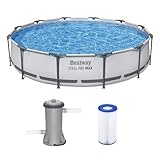
Bestway Steel Pro MAX 12' x 30" Above Ground Swimming Pool Set with Pump | Check Price On Amazon |
|
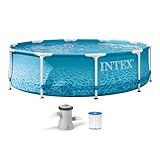
INTEX Beachside Metal Frame 10ft x 30in Round Pool Set w/Pump | Check Price On Amazon |

|
H2OGO! Kids Splash-in-Shade 8-Foot Round Steel Frame Above Ground Pool with Water Mister and Canopy Sunshade, Green Tropical Leaf Print | Check Price On Amazon |
By the Numbers
Pool Pump Scheduling — What the Research Shows
Sources: EPA WaterSense, PHTA Technical Manual, utility rate surveys
What Does a Pool Timer Do and Why Does Your Pump Need One?
A pool timer is an automatic switch that controls when your pool pump receives power. It turns the pump on and off at preset times without you being anywhere near the equipment pad.
Without a timer, pool pumps get left running 24/7 or turned off and forgotten. The Pool and Hot Tub Alliance (PHTA) recommends at minimum one full water turnover per day for residential pools. For a 20,000-gallon pool with a 50 GPM pump, one turnover takes approximately 6.7 hours. Not sure about your pool’s exact gallonage? Use our pool volume calculator to find the number for your specific pool.

- Intelligent Navigation with Full Coverage: Equipped with 11 high-precision sensors and enhanced dual-path algorithms. The optimized WavePath cleaning pattern ensures systematic coverage with minimal overlap, while adaptive navigation analyzes pool layout in real time to eliminate missed spots
- Dual Filtration for Crystal-Clear Water: Advanced dual-layer filtration system features a replaceable 3-micron ultra-fine filter paired with a 180-micron standard filter. Effectively captures fine dust, sand, leaves, and debris for visibly cleaner and healthier pool water
- Comprehensive Pool Cleaning: Engineered to clean the pool floor, walls, waterline, and shallow areas (above 12 inches). The Caterpillar Treads system enhances mobility and climbing ability, ensuring thorough coverage across all pool zones
- Reliable Performance with 2-Year Warranty: Trusted by over 500,000 pool owners worldwide, this robotic pool cleaner delivers consistent, high-performance results. Built for durability and backed by a 2-year warranty and responsive customer support for worry-free ownership
Running a pump longer than needed wastes electricity. A 1.5 HP single-speed pump costs roughly $0.08 to $0.15 per hour to operate at the national average electricity rate of $0.12 per kWh. Ten extra hours per week adds up to more than $150 per year in wasted energy.
Timers also protect your equipment. Mechanical pool timers like the Intermatic T104 have been the industry standard for decades. They use a 24-hour dial with trippers that physically trip the switch on and off. They cost $50 to $80 and last 10 to 15 years with occasional tripper replacement.
Quick Reference
Pool Timer Types — Key Terms Explained
Quick reference for the timer types used throughout this guide
A 24-hour dial timer with physical on/off trippers. No programming. Works during power outages. Costs $50-80. Example: Intermatic T104.
Electronic timer with LCD screen and multiple programmable events. Battery backup preserves schedule. Costs $80-200. Example: Intermatic P1353ME.
Timer controlled via smartphone app. Offers remote scheduling, energy monitoring, and voice control. Costs $120-300. Example: Intermatic CA3750.
Built-in timer inside variable-speed pumps. Controls multiple speed/time segments. No external timer needed. Example: Pentair IntelliFlo onboard control.
Small metal or plastic clip that attaches to the mechanical timer dial. One tripper turns the pump on. The next tripper turns it off.
The time required to circulate the entire pool volume through the filtration system once. PHTA recommends minimum one turnover per day.
Automatic feature in digital and VSP controllers that runs the pump when air temperature drops below 34-38°F to prevent plumbing from freezing.
Pool timers are rated for either 120V or 240V. Most inground pool pumps use 240V. Above-ground pump timers are often 120V. Match timer voltage to pump voltage.
Maximum horsepower the timer switch can handle. Most mechanical timers handle up to 2 HP at 240V. Digital timers often handle 3 HP. Exceeding the rating burns out the contacts.
A secondary switch circuit in some timers that shuts off a gas heater 15-20 minutes before the pump stops to allow the heat exchanger to cool down properly.
How to Calculate Your Ideal Pump Run Time
Your ideal pump run time depends on three numbers: pool volume in gallons, pump flow rate in GPM, and the minimum turnover requirement. For a 20,000-gallon pool with a pump moving 50 GPM, one turnover takes 400 minutes (6.7 hours).
This calculation uses the formula: turnover time (hours) equals pool volume (gallons) divided by pump flow rate (GPM) divided by 60. For an instant result without the math, try our pool turnover calculator. A flow meter installed on the return line gives the most accurate GPM reading. Without a flow meter, use the pump’s published flow curve at your system’s total dynamic head. Alternatively, you can estimate flow with a pool pump sizing calculator.
Pool volume for rectangular inground pools calculates as length times width times average depth times 7.48 gallons per cubic foot. A 16-foot by 32-foot pool with 4.5-foot average depth holds approximately 17,230 gallons. Round that to 17,000 for your turnover calculation.
High bather loads, direct sunlight exposure, and water temperatures above 85°F all increase the turnover requirement. A pool used by 4 to 6 people daily in full sun benefits from 1.5 turnovers per day. Calculate 1.5 times your single-turnover time for summer scheduling.
Cost Reference
Pump Scheduling — Daily Run Time vs Annual Electricity Cost
All values pre-calculated for a 1.5 HP single-speed pump at $0.12/kWh. Find your run time to see your real cost.
| Daily run time ↓ Pump type → | Single-speed 1.5 HP | Dual-speed low | Variable-speed 1,500 RPM | Variable-speed 3,450 RPM |
|---|---|---|---|---|
| 4 hours / day | $263/yr | $132/yr | $44/yr | $263/yr |
| 6 hours / day | $394/yr | $197/yr | $66/yr most common |
$394/yr |
| 8 hours / day | $526/yr | $263/yr | $88/yr | $526/yr |
| 12 hours / day | $788/yr | $394/yr | $131/yr | $788/yr |
| 24 hours / day | $1,577/yr | $788/yr | $263/yr | $1,577/yr |
Annual cost calculated as: daily run time × 1.5 HP × 0.746 kW/HP × $0.12/kWh × 365 days. Single-speed and VSP at full speed use approximately 1.5 kW. VSP at 1,500 RPM uses approximately 0.25 kW. ★ highlights the most common residential scenario.
Mechanical Pool Timer Setup: Step-by-Step Instructions
Mechanical timers like the Intermatic T104 are the most common pool pump timers in residential installations. They use a 24-hour rotating dial with removable trippers that physically toggle the switch at set times.
This timer type has one major advantage: it holds its schedule through a power outage. The dial runs independently. No battery. No memory to lose. When power returns, the pump resumes on schedule without any user intervention.
Step-by-Step Guide
How to Set Up a Mechanical Pool Timer — Step by Step
7 steps · 15-20 minutes · No tools required beyond the trippers that come with the timer
Turn off power at the breaker
Switch off the circuit breaker supplying power to the pool pump before opening the timer box. Confirm the pump stops completely. Lock the breaker or place a note on it if others might restore power during installation.
Set the correct time on the dial
Rotate the large yellow or silver dial clockwise until the current time of day lines up with the arrow or pointer on the timer face. The dial has AM hours in white and PM hours in black or marked with lines. Do not rotate counterclockwise as this can damage the clock mechanism.
Install the ON tripper
Locate the time you want the pump to start on the dial. Loosen the screw on a tripper pair. Slide the ON tripper (marked “ON” or colored green) onto the dial edge at that exact time. Tighten the screw finger-tight only. Do not overtighten — the tripper should grip the dial firmly but the screw head can strip.
Install the OFF tripper
Slide the OFF tripper (marked “OFF” or colored red) onto the dial edge at the time you want the pump to stop. For a 6-hour run time starting at 8 AM, place the OFF tripper at 2 PM on the dial. The OFF tripper must follow the ON tripper in the clockwise direction.
Add a second ON/OFF cycle if needed
Most mechanical timers support two on/off cycles per day using a second pair of trippers. For split run times — running 4 hours in the morning and 4 hours in the evening to avoid peak electricity rates — install the second ON tripper at your evening start time and the second OFF tripper four hours later.
Test the manual override switch
Locate the manual on/off lever on the side of the timer mechanism. Flip it to ON to verify the pump runs. Flip it back to the timer position (center) to return to automatic scheduling. The manual override works independently of the tripper positions and overrides them when engaged.
Close the box and restore power
Secure the timer box door to maintain the weatherproof seal. Outdoor timers carry a NEMA 3R rating for rain resistance only when properly closed. Turn the breaker back on. Watch for one full dial rotation to confirm the trippers engage and disengage the switch correctly.
Mechanical timers work best for pools with fixed, unchanging schedules. They handle single-speed and dual-speed pumps up to 2 HP at 240V. For split-run scheduling that avoids peak utility rates, the dual tripper system runs two separate pump cycles daily without any programming complexity. For pool owners using variable-speed pumps, the onboard digital controller replaces the need for an external mechanical timer entirely.
Digital Pool Timer Programming: Complete Walkthrough
Digital pool timers replace the dial and trippers with an LCD screen and push-button programming. Models like the Intermatic P1353ME digital pool timer support up to 28 separate on/off events across multiple circuits. This lets you schedule the pump, cleaner booster pump, and pool lights independently from one control box.
Digital timers store schedules in non-volatile memory backed by an internal battery. The battery maintains the clock and program during outages for 3 to 5 years before needing a CR2032 coin cell replacement. The LCD displays current time, next scheduled event, and circuit status at a glance without opening the box.
Step-by-Step Guide
How to Program a Digital Pool Timer — Step by Step
5 steps · 10-15 minutes · Screwdriver for wall plate access
Set the clock and day of week
Press and hold the SET or CLOCK button until the hour display flashes. Use the plus and minus buttons to set the correct hour, making sure AM/PM is correct. Press SET again to advance to minutes. Set minutes. Press SET again to advance to day of week. Select the correct day. Press SET once more or wait 10 seconds to exit the clock setting mode.
Create your first ON event
Press PROG or PROGRAM. The display shows EVENT 01 with no time assigned. Select the circuit number if the timer controls multiple devices. Set the ON time using plus and minus buttons. Select which days this event repeats — options include every day, weekdays only, weekends only, or individual day selection. Press ENTER or NEXT to save.
Create the matching OFF event
The EVENT counter advances to EVENT 02. Set the OFF time for the same circuit. The OFF time must be after the ON time. For a 6-hour pump run starting at 8 AM, set EVENT 02 OFF at 2 PM. Assign the same days as EVENT 01. Each paired ON/OFF counts as one complete pump cycle.
Add additional events for split scheduling or seasonal changes
Continue adding event pairs for different run time needs. Create a morning cycle from 8 AM to noon and an evening cycle from 6 PM to 10 PM to avoid peak electricity rates between 2 PM and 6 PM. Create separate event pairs with different day assignments for summer vs winter schedules. Most digital timers store 14 to 28 total events across all circuits.
Review and verify the complete schedule
After programming all events, press the REVIEW or SCAN button to cycle through every stored event. Verify each ON has a corresponding OFF. Check that events do not overlap on the same circuit. Press the manual override button to confirm the pump responds. Return the override to AUTO mode before closing the timer box.
Digital timers offer one critical safety feature that mechanical timers lack: freeze protection. When the temperature sensor detects air below 34°F to 38°F, the timer automatically runs the pump continuously to prevent plumbing freeze damage. This happens regardless of the programmed schedule. The pump runs until the temperature rises above the freeze threshold. For pool owners who have already invested in a high-quality inground pool pump, a digital timer with freeze protection prevents burst plumbing that costs $2,000 to $5,000 to repair.
Smart Wi-Fi Pool Timers: Remote Control and Energy Monitoring
Smart pool timers connect to your home Wi-Fi network and give you full pump control from a smartphone app. The Intermatic CA3750 smart pool timer lets you turn the pump on or off from anywhere, view energy consumption in real time, and receive push notifications if the pump fails to start on schedule.
Smart timers are a type of pool automation system that integrates the pump schedule with voice assistants. You can tell Alexa or Google Assistant to start the pump, or set up automated routines like running the pump for an extra two hours after heavy pool use detected by your family’s swim patterns.
Energy monitoring is the killer feature for cost-conscious pool owners. The app shows exactly how many kilowatt-hours the pump used today, this week, and this month. This real-time feedback lets you experiment with shorter run times and immediately see the cost impact rather than waiting for the monthly utility bill.
For pools with variable-speed pumps that lack onboard Wi-Fi, a smart timer adds remote speed control. You can program different speeds for different times of day directly from the app. Run at 3,000 RPM for the first two hours to skim surface debris efficiently, then drop to 1,500 RPM for the remaining four hours to save electricity while still achieving full turnover.
Product Comparison
Mechanical vs Digital vs Smart Pool Timer — Side by Side
Detailed feature comparison to help you choose the right timer for your setup.
| Feature | Mechanical Timer | Digital Timer | Smart Wi-Fi Timer |
|---|---|---|---|
| Price range | $50-80 | $80-200 | $120-300 |
| Max daily events | 2 ON/OFF cycles | Up to 28 events | Unlimited from app |
| Power outage behavior | Keeps schedule. Dial stops but resumes correctly. | Battery backup. Clock continues. Schedule preserved. | Battery backup. Reconnects to Wi-Fi automatically. |
| Freeze protection | No | Yes (with sensor) | Yes (with sensor) |
| Remote control | No | No | Yes (smartphone app) |
| Energy monitoring | No | No | Yes (real-time kWh) |
| Typical lifespan | 10-15 years | 7-10 years | 5-8 years |
| Best for | Single-speed pumps. Fixed schedules. Budget priority. | Multiple devices. Split schedules. Freeze climates. | Remote access. Energy tracking. Variable-speed pumps. |
Prices verified at time of publication. Lifespan estimates based on manufacturer specifications and field service data.
How to Schedule a Variable-Speed Pump Using the Onboard Controller
Variable-speed pool pumps have a built-in digital controller that eliminates the need for an external timer entirely. The pump itself stores multiple speed and time segments. A typical VSP schedule might run at 3,000 RPM from 8 AM to 10 AM for skimming, then drop to 1,500 RPM from 10 AM to 2 PM for energy-efficient turnover.
This onboard scheduling is fundamentally different from using an external timer. The pump always receives power. The internal controller decides when to start, what speed to run, and when to stop based on the program you set at the pump’s keypad. Do not connect a VSP to an external timer that cuts power — the pump must stay powered to maintain its internal clock and schedule memory.
The Pentair IntelliFlo VSF variable-speed pump stores up to eight speed/time segments per day. Each segment has a start time, a stop time, and an RPM or GPM setpoint. The pump runs through segments in chronological order. Any time gap between segments means the pump is off during that period.
Programming follows this sequence: press MENU, select SPEED SETTINGS, choose an unused speed slot (1-8), set the RPM value, then assign that speed to a schedule. The schedule screen asks for start time and stop time. Repeat for each daily segment. After the last segment ends, the pump remains off until the first segment starts the next day. Programming a variable-speed pump correctly for your specific pool size is the single biggest factor in reducing annual electricity costs by $300 to $500.
Interactive Tool
Find the Right Pool Timer for Your Setup
Answer 2 questions to get a personalized timer recommendation.
Common Pool Timer Installation Mistakes to Avoid
Pool timer installation mistakes can damage equipment or create electrical hazards. The most dangerous error is mismatching the timer voltage rating to the pump. Installing a 120V timer on a 240V pump circuit causes immediate failure and potential fire risk.
Always verify the pump’s voltage on the motor nameplate before buying a timer. Inground pool pumps are almost always 240V. Above-ground pumps are commonly 120V. The timer enclosure itself must match the installation environment. Outdoor-installed timers need a NEMA 3R weatherproof rating with a properly sealed conduit connection.
Wiring errors inside the timer box are the second most common failure point. Loose terminal screws cause arcing and heat buildup that eventually destroys the timer contacts. Tighten all terminal screws to the manufacturer’s torque specification using a properly sized screwdriver. A loose connection on a 240V pump drawing 8 amps generates enough heat to melt the terminal block within weeks.
Connecting a variable-speed pump to an external timer is a configuration error, not an installation error, but the result is the same. When the timer cuts power to the VSP, the pump loses its clock, its schedule memory, and often its speed calibration. Reputable VSP manufacturers including Pentair, Hayward, and Jandy explicitly instruct users to wire the pump directly to a breaker with constant power, not through a timer.
Buying Guide
Before You Buy a Pool Timer — Checklist
Check off each point before making your decision.
Seasonal Pump Scheduling: Adjusting Run Times for Every Season
Pool pump schedules should change with the seasons. Summer demands the longest run times due to high bather loads, maximum sunlight exposure, and water temperatures above 85°F that accelerate algae growth and chlorine consumption.
Winter requires the shortest run times for pools that remain open. Cold water holds chlorine longer and algae growth slows dramatically below 60°F. Four hours at 1,200 RPM on a VSP is often sufficient for a 20,000-gallon pool in winter in moderate climates.
Seasonal Guide
Pool Pump Scheduling — Month-by-Month Run Time Guide
Recommended daily run times for a 20,000-gallon pool with 50 GPM pump in moderate climate zones.
Off-season or closed
For digital and smart timers, create separate seasonal programs. Program a summer schedule with 10 to 12 hours of run time starting in June. Program a winter schedule with 4 hours. Switch between them by selecting the appropriate program rather than reprogramming every event. Mechanical timer users must manually move trippers twice per year for seasonal changes.
For pools with energy-efficient variable-speed pool pumps, seasonal adjustment is a speed change rather than a time change. In summer, run 1,500 to 1,800 RPM for 8 to 10 hours. In winter, run 1,000 to 1,200 RPM for 4 hours. The lower RPM in winter still achieves turnover while using 60 to 70 percent less electricity than summer speeds.
Troubleshooting Pool Timer Problems: Common Issues and Fixes
Pool timer failures fall into predictable categories. Mechanical timers fail when trippers loosen or the clock motor wears out. Digital timers fail when the backup battery dies or the display goes blank. Smart timers fail when Wi-Fi connectivity drops or the app stops communicating with the device.
For mechanical timers that do not turn the pump on at the scheduled time, first check that the manual override lever is in the AUTO or TIMER position, not permanently ON or OFF. Second, verify the trippers are tight on the dial. A loose tripper slides around the dial and triggers at random times or not at all. Third, confirm the dial is actually turning. A silent, motionless dial means the clock motor has failed.
The clock motor in an Intermatic T104 costs $20 to $30 as a replacement clock motor for pool timers. It is a field-replaceable part that takes 10 minutes to swap. Turn off the breaker. Remove the timer mechanism from the enclosure. Unplug the old clock motor. Plug in the new one. Reinstall the mechanism. Replace the clock motor every 5 to 7 years of continuous use as preventive maintenance.
Digital timers showing a blank display usually have a dead backup battery. The CR2032 coin cell battery costs $2 and is accessible behind a small cover on the timer face. Replace it and reprogram the schedule if the timer lost its memory during the dead battery period. If the display shows scrambled characters or the buttons do not respond, perform a factory reset by holding the reset button for 10 seconds.
Smart timers that go offline typically need a Wi-Fi reconnect. Power cycle the timer by turning the breaker off for 30 seconds, then back on. Open the manufacturer’s app and follow the re-pairing process. If the timer connects to Wi-Fi but the app cannot find it, the cloud service may be temporarily down. Wait an hour and try again before contacting support.
For any timer that trips the breaker immediately when the pump tries to start, the problem is likely a failing pump capacitor or a seized pump motor drawing locked-rotor amperage, not a timer fault. The timer contacts simply carry the current. A pump drawing 40 amps on startup when rated for 8 amps will trip a 20-amp breaker regardless of timer condition. Test the pump independently before replacing the timer.
Why Do Some Pool Owners Skip the Timer and Run the Pump Continuously?
Continuous pump operation wastes $500 to $1,400 per year in electricity at national average rates. A single-speed 1.5 HP pump costs roughly $1,577 per year running 24/7 compared to $394 to $526 running 6 to 8 hours daily.
The myth that pools need constant circulation to stay clean persists because it is easier than calculating turnover. It is also wrong. The PHTA standard of one turnover per day is based on decades of water quality research. Once all the water passes through the filter, additional passes provide diminishing returns for filtration quality.
Constant pump operation does help in one scenario: saltwater chlorine generator pools where the SWCG only produces chlorine when the pump is running. However, the solution is not running the pump 24/7. It is sizing the SWCG output correctly so it produces the daily chlorine requirement during the scheduled pump run time. A properly sized salt cell running at 50 to 80 percent output during an 8-hour pump cycle produces the same daily chlorine as a smaller cell running 24/7. To get the most from your salt system, keep your salinity in the ideal range with our salt calculator for pools.
For pool owners who have already chosen a pump suited to their specific pool type and size, adding a timer reduces energy consumption by 40 to 80 percent with no reduction in water quality. The timer pays for itself in under two months of electricity savings.
What Is the Difference Between a Pool Timer and a Pool Automation System?
A pool timer controls only the pump on/off schedule. A pool automation system controls the pump, heater, lights, valves, salt system, and water features from a single panel or app. Timers cost $50 to $300. Automation systems cost $800 to $3,000 installed.
For pools with only a pump and basic equipment, a timer provides everything needed. Automation adds value when you have multiple devices that need coordinated control. For example, the heater should not fire unless the pump is running and water is flowing through the heat exchanger. An automation system manages this interlock without the need for separate timers and relays.
Many variable-speed pump owners discover that the pump’s onboard controller is already a basic automation system. The Pentair IntelliFlo can control a booster pump and a salt cell through its relay ports. It can also communicate with Pentair automation panels if you expand later. Before buying a standalone timer for a VSP, check what the pump already controls internally.
Can You Use a Standard Light Timer for a Pool Pump?
No. Standard indoor light timers lack the voltage rating, amperage capacity, and weatherproof enclosure required for pool pump duty. A pool pump draws 5 to 12 amps at 240V. A typical plug-in light timer is rated for 15 amps at 120V for lamps and small appliances. The contacts will weld shut or burn open within days if used on a 240V pump circuit.
Outdoor-rated heavy-duty timers designed specifically for pumps, water heaters, and well pumps are the only acceptable alternative to dedicated pool timers. These have NEMA 3R enclosures and 40-amp contact ratings. The Intermatic HB880R outdoor heavy-duty timer is an example of a non-pool-specific timer that meets the electrical requirements for pool pump use.
Using an indoor timer outdoors or an under-rated timer on a pump circuit violates the National Electrical Code (NEC) Article 680 for swimming pool equipment. The NEC requires listed and labeled equipment for the specific application. Fire investigators and insurance adjusters look for code violations after equipment fires. Saving $40 on a light timer puts the entire equipment pad at risk.
How Do You Wire a Pool Timer for 240V vs 120V?
240V pool timer wiring uses two hot wires (typically black and red), a ground wire (green or bare copper), and no neutral. The timer switch breaks both hot legs simultaneously. The wiring diagram inside the timer door shows terminal labels: LINE 1 and LINE 2 for incoming power from the breaker, LOAD 1 and LOAD 2 for outgoing power to the pump.
120V pool timer wiring uses one hot wire (black), one neutral wire (white), and a ground wire. The timer switch breaks only the hot leg. Terminal labels: LINE (hot in), LOAD (hot out to pump), and a neutral connection point. The neutral passes through the timer box unswitched and connects directly to the pump neutral.
Wire gauge must match the pump’s amp draw. A 1.5 HP pump at 240V draws approximately 8 amps. Use 12 AWG wire for runs up to 100 feet. For runs over 100 feet, step up to 10 AWG to compensate for voltage drop. Undersized wire causes voltage drop that reduces pump performance, increases motor heat, and shortens motor life.
Should You Run the Pool Pump During the Day or at Night?
Daytime pump operation aligns the filtration cycle with the hours when sunlight and bathers are adding contaminants to the pool. Chlorine produced by a salt system or added manually works most efficiently when filtered circulation is active. Running the pump from 8 AM to 4 PM captures the period of highest pool use and UV exposure.
Nighttime pump operation is better if your utility company charges time-of-use rates with lower prices after 9 PM. The filtration performance is identical regardless of time of day. The water does not know whether the sun is up. However, salt chlorine generators will not produce chlorine at night unless the pump is running, effectively shifting chlorine production to nighttime hours when UV cannot degrade it.
The best schedule for most residential pools with standard utility rates is daytime operation with a single continuous block. For time-of-use rate customers, split the schedule: run 4 hours during the day for skimming and chlorine distribution, then 4 hours at night during off-peak rates for energy cost savings. Digital timers and VSP controllers handle split scheduling easily with two separate event pairs.
What Size Pool Timer Do You Need for a 2 HP Pump?
A 2 HP pump requires a timer rated for at least 2 HP at 240V. Most mechanical pool timers (Intermatic T104, T106) are rated for 2 HP at 240V and 1 HP at 120V. Digital pool timers often carry higher ratings of 3 HP at 240V due to their heavier relay contacts.
Verify the timer’s HP rating on the specification label or manufacturer datasheet, not from third-party listings. The HP rating is different from the amp or watt rating. A timer rated for 40 amps resistive load (water heaters) may only be rated for 2 HP inductive load (motors). Pool pump motors are inductive loads with high inrush current at startup. The timer must carry an explicit motor HP rating.
For pumps larger than 2 HP, use a definite-purpose contactor controlled by the timer rather than switching the pump directly through the timer contacts. The timer switches the contactor coil (low current, 0.1 to 0.5 amps). The contactor switches the pump (high current, 12 to 20 amps). This configuration extends timer life indefinitely and handles any pump size.
How Do You Protect Pool Equipment from Freezing with a Timer?
Freeze protection requires a timer or controller with a temperature sensor input. When the sensor detects air temperature below the freeze threshold (typically 34°F to 38°F), the controller overrides the normal schedule and runs the pump continuously until the temperature rises above the threshold.
Mechanical timers cannot provide freeze protection. They have no sensor input and no logic to override the tripper schedule. Pool owners in freeze-prone climates with mechanical timers must either manually switch the pump to continuous run during cold snaps or install a separate freeze protection thermostat that bypasses the timer.
Digital timers with freeze protection and VSP onboard controllers are the standard solution for freeze-prone regions. The Intermatic freeze protection sensor plugs into compatible digital timers and mounts outside the enclosure where it reads ambient air temperature. Set the activation threshold to 38°F for buffer against calibration differences.
Running the pump during freezing weather prevents ice formation inside above-ground plumbing and equipment. Moving water resists freezing at temperatures that would freeze still water. At 32°F, still water in a 2-inch PVC pipe freezes in approximately 4 hours. Water moving at 30 GPM through the same pipe resists freezing down to about 25°F. The pump does not heat the water. It prevents freezing through flow alone. For additional cold-weather equipment protection, a reliable pool cover pump removes standing water that can freeze and damage winter covers.
Why Does My Pool Timer Keep Losing Time?
Mechanical timers lose time when the clock motor wears out or the drive gears strip. A timer that loses 15 to 30 minutes per day has a failing clock motor. Replace it. The clock motor is the only moving part in a mechanical timer and wears predictably over 5 to 7 years of continuous use.
Digital timers lose time when the backup battery fails and the timer experiences brief power interruptions. A digital timer with a dead battery that sees a 2-second power flicker at 3 AM will reset to midnight and start counting from there. By morning, the schedule is off by hours. Replace the backup battery every 3 years regardless of whether the timer still appears to function.
Smart timers lose time when they disconnect from Wi-Fi for extended periods. The internal clock drifts without network time synchronization. Most smart timers sync time via NTP (Network Time Protocol) once per day. If the timer has been offline for a week, the clock may drift by several minutes even if the schedule still runs correctly. Reconnect to Wi-Fi to force an immediate time sync.
The fix for chronic time loss is identifying the root cause rather than repeatedly resetting the clock. A $25 clock motor replacement fixes a mechanical timer permanently. A $2 battery fixes a digital timer. Rebooting the home router and re-pairing the smart timer fixes most connectivity-related time drift. For pools with LED pool lights on the same timer circuit, verify that lighting loads do not exceed the timer contact rating as overloaded contacts create resistance and heat that can affect timer accuracy.
Can You Use a Pool Timer with a Saltwater Chlorine Generator?
Yes, but the timer must control both the pump and the salt cell together. The salt system must never generate chlorine when the pump is not running. Chlorine gas buildup in a stagnant salt cell creates an explosion risk and damages the cell plates.
The correct wiring method connects the salt system power supply to the LOAD side of the same timer that controls the pump. When the timer turns off the pump, it simultaneously cuts power to the salt cell. This is a mandatory safety interlock required by every salt system manufacturer including Hayward, Pentair, and Jandy.
Some salt systems have a built-in flow switch that prevents chlorine generation without water flow. This is a backup safety device, not a primary control. Do not rely on the flow switch as the only protection. Wire the salt system through the timer. The flow switch is the last line of defense if the timer fails, not the routine control method.
A better configuration for salt pools is the VSP onboard controller with the salt system wired to the pump’s relay output. The pump controller turns on the salt system only when the pump is actively running. This eliminates the need for a separate timer and provides coordinated pump-speed and chlorine-output programming from a single interface.
Pool Timer Setup Checklist: Final Steps Before Walking Away
After installing or programming any pool timer, complete this verification sequence before considering the job done. Each step catches a common failure that causes callbacks or equipment damage.
First, verify the pump starts and stops at the programmed times. Do not trust that setting the trippers or entering the schedule is enough. Watch one complete ON cycle. Set the ON time for five minutes from now. Wait. Confirm the pump starts. Set the OFF time for five minutes later. Confirm the pump stops. This real-time verification catches programming errors, misaligned trippers, and faulty relays immediately.
Second, verify the manual override functions correctly. Switch to manual ON. The pump should run. Switch back to AUTO. The pump should follow the schedule. A manual override that does not disengage leaves the pump running 24/7 and undoes all your scheduling work within one day.
Third, check the timer enclosure seal. Outdoor timers rely on a gasketed door to keep rain and insects out. A door left slightly open or a conduit fitting without a sealing ring allows moisture inside. Moisture corrodes contacts and breeds ants that short out the switch mechanism. Ant colonies inside timer boxes are a leading cause of timer failure in warm climates.
Fourth, if the timer has a fireman’s switch for a gas heater, verify it shuts off the heater 15 to 20 minutes before the pump stops. The fireman’s switch cooling cycle prevents heat exchanger damage from residual heat after water flow stops. Test it by watching the heater display during the last 20 minutes of a pump cycle. The heater should shut down while the pump continues running.
A properly installed and verified pool timer runs for years without intervention. Mechanical timers need a clock motor every 5 to 7 years and tripper replacement every 2 to 3 years. Digital timers need a backup battery every 3 years. Smart timers need occasional app updates and Wi-Fi reconnects. For above-ground pool setups with a pump sized correctly for an above-ground pool, verify the timer voltage matches the pump voltage — 120V is standard for above-ground pumps.
Set your timer. Verify it works. Then stop thinking about it. The whole point of automatic pump scheduling is to free you from manual pump control while cutting your electricity bill by 40 to 80 percent. A correctly programmed timer does exactly that.
| Photo | Best Above-Ground Pools | Price |
|---|---|---|
|
|
Bestway Steel Pro MAX 12' x 30" Above Ground Swimming Pool Set with Pump | Check Price On Amazon |
|
|
INTEX Beachside Metal Frame 10ft x 30in Round Pool Set w/Pump | Check Price On Amazon |
|
|
H2OGO! Kids Splash-in-Shade 8-Foot Round Steel Frame Above Ground Pool with Water Mister and Canopy Sunshade, Green Tropical Leaf Print | Check Price On Amazon |