
Pool automation does not require a six-figure pool budget or a degree in electrical engineering. It is simply a system of controllers, sensors, and motorized valves that manages your pool equipment from a single interface instead of walking to the equipment pad five times a day.
This guide covers every major pool automation component: controllers, actuators, valve systems, pump speed management, heater scheduling, lighting control, chemical dosing integration, and remote access through smartphone apps. It includes cost breakdowns, setup steps, and the specific equipment models most commonly installed in residential pools.
| Photo | Best Above-Ground Pools | Price |
|---|---|---|
|
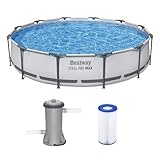
Bestway Steel Pro MAX 12' x 30" Above Ground Swimming Pool Set with Pump | Check Price On Amazon |
|
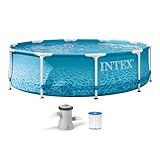
INTEX Beachside Metal Frame 10ft x 30in Round Pool Set w/Pump | Check Price On Amazon |

|
H2OGO! Kids Splash-in-Shade 8-Foot Round Steel Frame Above Ground Pool with Water Mister and Canopy Sunshade, Green Tropical Leaf Print | Check Price On Amazon |
By the Numbers
Pool Automation — What the Research Shows
Sources: PHTA Industry Report, Energy Star Pool Pump Savings Data, CDC Healthy Swimming Guidelines
What Is Pool Automation and How Does It Work?
Pool automation is a control system that replaces manual switches, timers, and valve handles with a central digital controller that operates all pool equipment automatically. A single automation panel can manage the pump, filter valve positions, heater temperature, salt chlorine generator output, pool lights, water features, and chemical dosing pumps from one interface.
This works because the controller sends low-voltage signals to motorized valve actuators and relays that physically turn equipment on or off and redirect water flow. According to the Pool and Hot Tub Alliance (PHTA) technical manual, a correctly installed automation system reduces daily pool maintenance labor by 60 to 80 percent compared to a fully manual setup.

- Intelligent Navigation with Full Coverage: Equipped with 11 high-precision sensors and enhanced dual-path algorithms. The optimized WavePath cleaning pattern ensures systematic coverage with minimal overlap, while adaptive navigation analyzes pool layout in real time to eliminate missed spots
- Dual Filtration for Crystal-Clear Water: Advanced dual-layer filtration system features a replaceable 3-micron ultra-fine filter paired with a 180-micron standard filter. Effectively captures fine dust, sand, leaves, and debris for visibly cleaner and healthier pool water
- Comprehensive Pool Cleaning: Engineered to clean the pool floor, walls, waterline, and shallow areas (above 12 inches). The Caterpillar Treads system enhances mobility and climbing ability, ensuring thorough coverage across all pool zones
- Reliable Performance with 2-Year Warranty: Trusted by over 500,000 pool owners worldwide, this robotic pool cleaner delivers consistent, high-performance results. Built for durability and backed by a 2-year warranty and responsive customer support for worry-free ownership
The core principle is that every piece of pool equipment that draws electricity or moves water can be connected to a control board that executes pre-programmed schedules. Instead of walking to the equipment pad to turn a Jandy valve from pool mode to spa mode, the automation system rotates the actuator in 12 seconds after you press a button on your phone.
Automation does not mean artificial intelligence or machine learning. It means programmable logic: if the time is 8:00 AM, start the pump at 2,200 RPM. If the temperature sensor reads 78 degrees and the schedule says heat to 85, turn on the heater. If the freeze protection sensor drops below 35 degrees Fahrenheit, run the pump at 1,750 RPM continuously until the temperature rises above 38 degrees.
What Are the Core Components of a Pool Automation System?
Every pool automation system consists of four hardware categories: the controller, actuators, sensors, and relays. Understanding what each piece does makes the entire system far less intimidating.
The controller is the brain. It is a wall-mounted panel or a load center cabinet that houses a circuit board, microprocessor, and communication ports. Popular residential controllers include the Pentair IntelliCenter, Hayward OmniLogic, and Jandy iAquaLink. The controller stores schedules, processes sensor inputs, and sends commands to every connected device.
The actuator is a motorized device that mounts on top of a diverter valve and rotates the valve handle electrically. A standard actuator like the Pentair CVA-24 rotates 180 degrees in approximately 12 seconds and draws 24 volts AC from the controller. This is what allows the system to switch water flow from pool circulation to spa jets or from filtration to backwash without touching a valve handle.
Sensors feed real-time data to the controller. The most common sensors measure water temperature, air temperature, and freeze protection thresholds. Advanced systems add flow sensors that report gallons per minute through the plumbing, pH and ORP sensors for chemical monitoring, and water level sensors that detect when the pool needs to be topped off.
Relays are electrical switches inside the controller that turn high-voltage equipment on and off. A relay handles the power to the pump motor, pool light transformer, heater, and auxiliary circuits like landscape lighting or a booster pump for a pressure-side cleaner. Each relay is rated for a specific amperage, typically 20 to 30 amps at 240 volts for pump circuits.
Quick Reference
Pool Automation — Key Terms Explained
Quick reference for the terms used throughout this guide
The central circuit board and microprocessor that stores schedules and sends commands to all connected pool equipment
A 24V motorized device mounted on diverter valves that rotates the valve handle when the controller sends a signal
An electrically operated switch inside the controller that turns high-voltage equipment circuits on or off
A two-wire serial communication protocol used by Pentair, Hayward, and Jandy controllers to talk to pumps, chlorinators, and heaters
A safety mode that automatically runs the pump when air temperature drops below 35 degrees Fahrenheit to prevent plumbing freeze damage
A three-way plumbing valve that directs water flow between two paths, most commonly pool return and spa jet circuits
A relay that communicates bidirectionally with the controller, reporting its on/off state and energy consumption back to the automation system
A single button or trigger that executes multiple commands simultaneously, such as switching valves and setting pump speed for spa mode
The metal enclosure that houses the automation controller, relays, and circuit breakers, typically mounted on the equipment pad wall
Oxidation Reduction Potential sensor that measures chlorine effectiveness in millivolts, with 650-750 mV indicating properly sanitized pool water
How Do Pool Controllers Communicate with Valves, Pumps, and Heaters?
Pool automation controllers communicate with equipment through two primary methods: RS-485 digital communication and simple relay switching. RS-485 is a two-wire serial protocol that allows the controller and connected devices to exchange data bidirectionally at speeds up to 115,200 bits per second.
This matters because RS-485 communication lets the controller not only tell the pump to run at 1,500 RPM but also receive real-time feedback on actual RPM, wattage draw, and fault codes. A variable-speed pump like the Pentair IntelliFlo VSF connected via RS-485 reports its exact energy consumption back to the controller, which displays it on the app in dollars per day based on your local electricity rate.
The RS-485 standard uses a twisted pair of wires, typically color-coded yellow and green in Pentair systems or black and red in Hayward systems, connected to a three-pin or four-pin terminal block on the controller board. This same communication bus can daisy-chain to the pump, salt chlorine generator, heater, and chemical controller, creating a single network that the automation panel manages.
Relays handle equipment without digital communication capability. A single-speed pump, a standard pool light transformer, or a booster pump for a pressure-side cleaner connects directly to a relay. The controller energizes the relay coil with 24 volts DC, which closes the high-voltage contacts and sends 240 volts to the device. Simple on/off control, no data exchange.
Some equipment uses proprietary communication protocols built on top of the RS-485 physical layer. Hayward uses its own AquaConnect protocol for OmniLogic systems. Pentair uses IntelliComm for IntelliCenter and IntelliTouch. Jandy uses AquaLink RS protocol. This is why you generally cannot mix a Pentair pump with a Hayward controller without a protocol adapter, although third-party interface modules from companies like Autelis and iaqualinklink have partially solved this compatibility gap.
What Pool Functions Can You Automate?
Nearly every electrically powered function on a residential pool can be automated. The most common automation targets are pump scheduling, valve actuation for pool and spa switching, heater temperature control, lighting scenes, and salt chlorine generator output.
Pump speed scheduling is the foundation of pool automation because it produces the largest energy savings. A variable-speed pump running at 1,500 RPM for 8 hours moves the same daily water volume as a single-speed pump at 3,450 RPM running for 4 hours while using approximately 75 percent less electricity. The automation controller can run different speeds for different purposes: 2,800 RPM for two hours in the morning to skim surface debris, then 1,200 RPM for six hours to maintain filtration turnover.
Valve automation controls where water flows. The most common application is pool-to-spa switching: rotating two or three Jandy valve actuators simultaneously to redirect suction from the pool drain to the spa drain and return flow from pool jets to spa jets. The same valve automation manages water features like waterfalls and bubblers, switching them on or off without touching a valve handle. For a complete breakdown of automated water feature control, our guide on pool water features and waterfalls including types and installation costs covers the specific valve configurations for each feature type.
Heater automation maintains set temperatures and prevents wasteful heating. The controller reads the water temperature sensor, compares it to the schedule set point, and fires the heater when needed. You can program separate temperatures for pool mode, typically 82 to 84 degrees Fahrenheit, and spa mode, typically 100 to 104 degrees Fahrenheit. The system also enforces safety limits: the high-limit switch inside the heater cuts power if water temperature exceeds 110 degrees, independent of the automation controller.
Lighting automation controls pool and landscape lights. LED color-changing lights like the Pentair IntelliBrite and Hayward ColorLogic connect to a relay for power and receive color-change commands through rapid power cycling. The automation controller pulses power to the light relay in specific patterns to select colors or activate light shows. A typical schedule sets pool lights to a soft blue at dusk and turns them off at 11:00 PM. For full instructions on pool lighting replacement and installation, our guide on replacing pool light bulbs and full fixture upgrades covers the electrical and safety steps required.
Chemical dosing automation integrates with the controller through either a dedicated relay or RS-485 communication. A peristaltic dosing pump for liquid chlorine or muriatic acid connects to a relay that the controller activates based on ORP and pH sensor readings. More advanced systems like the Pentair IntelliChem use their own controller that communicates with the automation panel. For a detailed comparison of dosing approaches, our guide on automatic vs manual pool chemical dosing systems explains the cost and maintenance trade-offs of each method.
Freeze protection is an automated safety function required in climates where temperatures drop below freezing. When the air temperature sensor reads 35 degrees Fahrenheit or below, the controller forces the pump to run continuously at a minimum of 1,200 RPM regardless of the normal schedule. It also cycles valve actuators to prevent water from freezing in stationary positions and turns on the heater if the water temperature drops below 40 degrees. Freeze protection overrides manual off commands and will not stop until the air temperature rises above 38 degrees.
Cover automation integrates electric pool cover motors with the controller. The cover can be programmed to close automatically at a set time each evening or when the controller detects no motion in the pool area after a specified period. This requires a separate cover controller that accepts a dry-contact closure from the automation relay.
How to Set Up a Basic Pool Automation System: Step-by-Step
Setting up pool automation follows a logical sequence from power wiring to schedule programming. Most residential installations use a load center that combines the controller, relays, and circuit breakers in one metal enclosure mounted on the equipment pad wall.
Step-by-Step Guide
How to Install and Program a Pool Automation Controller — Step by Step
6 steps · Estimated total time: 4-6 hours for a qualified electrician
Mount the load center and run main power
Mount the automation load center on the equipment pad wall using the included template. A licensed electrician runs 240V service from the main breaker panel to the load center line-side terminals. The load center typically requires a 100-amp subpanel feed for systems controlling a heat pump or electric heater.
Wire each piece of equipment to its relay
Connect the pump, heater, lights, and auxiliary circuits to their assigned relays inside the load center. Each relay has line-side terminals for incoming power and load-side terminals for the equipment connection. Label every relay clearly on the inside of the load center door using the included sticker sheet.
Connect RS-485 communication cables
Run 22-gauge two-conductor twisted pair cable from the controller RS-485 terminal block to each communicating device. Daisy-chain from the controller to the pump, then to the salt chlorine generator, then to the heater. Observe correct polarity: yellow to yellow, green to green for Pentair. Incorrect polarity prevents communication without damaging equipment.
Install valve actuators and sensors
Mount actuators on the diverter valves for pool/spa switching and water feature control. Plug actuator cables into the dedicated actuator sockets on the controller board, not into relays. Install temperature sensors: one in the plumbing after the filter for water temperature, one mounted in open air away from direct sunlight for air temperature and freeze protection.
Configure the controller and name every circuit
Power on the controller and run the setup wizard. Assign each relay to its equipment type: filter pump, spa jets, pool lights, landscape lights, booster pump. Name circuits descriptively because these names appear on the app: “Main Filter Pump” not “Relay 1,” “Spa Jets” not “Aux 3.” Configure the pump type as variable-speed and select the correct model from the dropdown list so the controller knows which communication protocol to use.
Program schedules and test every function
Set the daily pump schedule with at least two speed periods: a high-speed skimming period at 2,800 RPM for 2 hours in the morning, and a low-speed filtration period at 1,200 RPM for 6 hours. Program the spa heating schedule for weekend evenings at 102 degrees Fahrenheit. Activate freeze protection with a 35-degree air temperature threshold. Test every function individually from the controller panel and the smartphone app before considering the installation complete.
What Does Pool Automation Cost?
A complete pool automation system costs between $1,200 and $4,500 installed, depending on the controller model, number of relays, and whether actuators and sensors are included. Entry-level systems with four relays and basic scheduling start around $1,200. Mid-range systems with eight relays, RS-485 communication, and smartphone connectivity cost $2,200 to $3,000. Premium systems with full chemical integration, 16 relays, and touchscreen interfaces run $3,500 to $4,500.
The controller and load center represent the largest single cost at $600 to $2,200 depending on capacity. Each valve actuator adds $150 to $250. Temperature sensors cost $30 to $60 each. Professional installation by a licensed electrician adds $500 to $1,200 depending on the complexity of the equipment pad and the distance from the main electrical panel.
For a typical 20,000-gallon inground pool (use our pool volume calculator to estimate your pool’s exact size) with a variable-speed pump, salt chlorine generator, heater, two valve actuators for pool/spa switching, and color LED lights, the complete automation package costs approximately $2,800 to $3,200 installed. This configuration pays for itself in 18 to 24 months through electricity savings from optimized pump scheduling alone, not counting the value of labor saved. For a complete cost-benefit analysis including energy savings calculations, our guide on pool automation systems including what they cost and whether they are worth the investment covers the full return-on-investment math.
For a comprehensive look at ongoing pool ownership costs including maintenance and utility expenses, see our pool ownership cost calculator.
Is Pool Automation Worth the Investment?
Pool automation is worth the investment for any pool owner who currently spends more than 30 minutes per week adjusting valves, timers, and equipment switches manually. The system eliminates that labor entirely while simultaneously reducing electricity costs by optimizing pump speeds and heater scheduling.
A variable-speed pump without automation still saves electricity, but it saves significantly less. The pump runs at whatever speed the onboard timer sets, which means it runs at the same speed every day regardless of changing conditions. With automation, the pump speed adjusts to seasonal changes: higher speeds during spring pollen season for increased skimming, lower speeds during winter when bather load drops to zero.
The financial case for automation becomes even stronger when the system prevents a single freeze damage event. A cracked heat exchanger in a gas heater costs $800 to $1,500 to repair. A burst section of PVC plumbing underground costs $2,000 to $4,000 to excavate and replace. Automated freeze protection that runs the pump at 1,750 RPM when the air temperature drops to 35 degrees Fahrenheit costs roughly $15 per freeze event in electricity. One prevented freeze repair pays for the entire automation system.
For pool owners who travel frequently or own vacation homes with pools, automation is the difference between a pool that stays clear and one that turns green between visits. Remote access through a smartphone app allows real-time monitoring of water temperature, pump status, and chemical levels from anywhere with cellular service. The ability to adjust schedules and diagnose equipment faults remotely eliminates the need for a weekly pool service visit, saving $80 to $150 per month.
What Are the Most Common Pool Automation Mistakes Beginners Make?
The most damaging beginner mistake is assuming any variable-speed pump communicates with any automation controller. Most variable-speed pumps sold today include RS-485 communication, but the protocol is brand-specific. A Pentair IntelliFlo pump connected to a Hayward OmniLogic controller will not communicate without a protocol translator module. The pump will run from its own onboard timer, independent of the automation system, defeating the purpose of integrated control.
The second most common mistake is undersizing the load center. A four-relay system seems sufficient for a pool with a pump, heater, lights, and salt chlorine generator. But adding a single water feature actuator, landscape lighting, or a booster pump for a pressure-side cleaner consumes the last available relay, leaving no room for expansion. Purchase a load center with at least two more relays than you currently need because adding relays later requires replacing the entire controller board.
Another frequent error is placing the air temperature sensor in direct sunlight or against a warm wall. The sensor reports artificially high temperatures, which disables freeze protection during actual freezing conditions. Mount the air temperature sensor on a north-facing wall, shielded from direct sun and at least six inches from any surface that absorbs and radiates heat. Verify the sensor reading against a known-accurate thermometer before relying on freeze protection.
Programming the pump to run at excessively low speeds is a subtle but consequential mistake. Running at 800 to 1,000 RPM reduces electricity consumption to near zero, but it may not generate enough flow to close the flow switch in the salt chlorine generator or heater pressure switch. These safety switches require a minimum flow rate, typically 20 to 25 gallons per minute, to close and allow operation. If the automation schedule runs the pump at 1,000 RPM all day, the salt cell never produces chlorine, and the pool turns green despite the automation system functioning perfectly.
Can You Automate an Existing Pool or Only New Construction?
You can automate an existing pool, and the vast majority of automation installations are retrofits on pools built before automation was affordable. The installation process is identical to new construction with one additional step: a licensed electrician must confirm that the existing subpanel or main panel has two empty breaker slots available to feed the automation load center.
Older pools with single-speed pumps benefit even more from automation retrofits because upgrading to a variable-speed pump at the same time produces immediate electricity savings. The automation controller manages the new pump, and the energy savings from variable-speed operation recover the combined cost of the pump and automation system faster than either upgrade alone. If the existing plumbing uses Jandy-style diverter valves with the standard four-bolt mounting pattern, adding actuators is a bolt-on procedure that takes approximately 15 minutes per valve without cutting any pipe.
Pools with outdated electrical panels that have no available breaker space require a subpanel upgrade before automation can be installed, which adds $800 to $1,500 to the total project cost. This is the primary reason some retrofit quotes come in higher than expected, and it is worth confirming panel capacity before requesting automation installation quotes.
Does Pool Automation Integrate with Smart Home Systems Like Alexa or Google Home?
Yes, all three major pool automation brands offer integration with Amazon Alexa and Google Home, although the integration depth varies significantly. Pentair IntelliCenter provides the most complete smart home integration, with native Alexa and Google Home skills that allow voice commands for pump speed adjustment, temperature changes, and lighting scenes.
Hayward OmniLogic offers Alexa and Google Home integration through the Omni app, but voice commands are limited to pool/spa mode switching, temperature adjustments, and lighting control. You cannot change pump speeds or view chemical readings by voice. Jandy iAquaLink supports Alexa and Google Home through a skill that enables on/off control of labeled circuits, but the voice commands are circuit-name dependent and require precise naming during controller setup.
The practical benefit of smart home integration is narrower than marketing materials suggest. Most pool automation interactions are schedule-based and require no user input. The most useful voice command is “turn on the spa” while walking from the house to the pool, which heats the spa to its pre-set temperature and switches the valves by the time you reach the water. Complex adjustments like changing pump speeds or setting heater temperatures are better handled through the manufacturer’s smartphone app, where you can see sensor readings and equipment status alongside the controls.
What Happens During a Power Outage with an Automated Pool?
All modern pool automation controllers include non-volatile memory that retains schedules, settings, and configuration data indefinitely without power. When electricity is restored, the controller reboots and resumes normal operation from its stored schedule. The clock may be incorrect after an extended outage, so the first action after power restoration is to verify the current time on the controller display or smartphone app.
The real concern during a power outage is not the controller but the pump and plumbing. If the outage occurs during freezing weather and freeze protection was keeping the pump running, the plumbing is vulnerable until power is restored. Homes with standby generators should connect the pool pump and automation controller to the generator panel so freeze protection continues operating during extended outages. A 1.5 HP variable-speed pump running at 1,750 RPM for freeze protection draws approximately 400 watts, which most residential generators can support without issue.
Salt chlorine generators and chemical feeders do not produce chlorine during a power outage, but a properly balanced pool maintains adequate sanitizer residual for 24 to 48 hours without active chlorination. If the outage lasts longer than two days, check the free chlorine level with a liquid drop test kit and add a manual dose of liquid chlorine at 1 gallon per 20,000 gallons of pool water to maintain 2 to 4 ppm until power is restored.
Do Saltwater Pools Need Different Automation Equipment?
Saltwater pools use the same automation controllers as chlorine tablet pools, and the salt chlorine generator connects to the automation system through the same RS-485 communication bus as any other device. The controller manages the salt cell output percentage just as it manages pump speed or heater set point.
The key difference is that saltwater pool automation requires the controller to coordinate pump speed with chlorine production. A salt cell produces chlorine only when water flows through it at a minimum rate, typically 20 to 25 GPM depending on the cell model. The automation schedule must ensure the pump runs at a speed that satisfies the flow switch during chlorination periods. Running the pump at 1,000 RPM for energy efficiency while the salt cell tries to operate at 50 percent output produces no chlorine because the flow switch remains open. The correct approach is to schedule a mid-speed period at 1,800 to 2,200 RPM for four to six hours when the salt cell operates, then drop to a lower speed for the remaining filtration hours.
What Is the Difference Between a Pool Timer and Full Automation?
A pool timer is a simple electromechanical or digital clock that turns a single piece of equipment, usually the pump, on and off at set times. It cannot adjust pump speed, switch valves, control the heater, or respond to changing conditions. A mechanical timer has a 24-hour dial with trippers that physically close a switch, and it costs $40 to $120.
Full automation is a microprocessor-controlled system that manages every piece of pool equipment based on schedules, sensor inputs, and user commands. It can run the pump at different speeds for different purposes, switch valves between pool and spa modes, fire the heater to maintain a set temperature, dim pool lights by color and brightness, and adjust chlorine output based on ORP sensor readings. The cost difference is roughly $40 for a timer versus $2,500 for automation, but the capabilities are fundamentally different categories of control.
A timer turns equipment on and off. Automation coordinates equipment behavior. If you have a single-speed pump and a simple pool with no spa, water features, or heater, a timer is sufficient. If you have two or more pieces of equipment that need to work together at different settings at different times, automation solves a coordination problem that a timer cannot address.
Can You Install Pool Automation Yourself or Do You Need a Professional?
Pool automation installation involves 240-volt electrical wiring inside a load center, which requires a licensed electrician in every jurisdiction in the United States under the National Electrical Code. The load center contains line-voltage terminals carrying 240 volts at up to 100 amps, and incorrect wiring creates a serious electrocution and fire hazard.
The low-voltage portion of the installation, including mounting actuators, plugging in sensor cables, and programming schedules, is accessible to a competent DIY homeowner. However, manufacturers including Pentair, Hayward, and Jandy require professional installation to validate the equipment warranty. Attempting a DIY installation of the high-voltage portion voids the warranty and may void your homeowner’s insurance coverage for any resulting electrical damage. The safe and warranty-compliant approach is to hire a licensed electrician for the load center installation and power wiring, then handle the actuator mounting, sensor placement, and schedule programming yourself if you are comfortable with the configuration menus.
How Long Does a Pool Automation System Last?
Pool automation controllers have a typical service life of 10 to 15 years for the main circuit board, with relays rated for approximately 100,000 switching cycles. For a relay that cycles once daily, that equals 270 years of service. However, relays controlling pool lights that cycle multiple times for color changes wear faster, and high-amperage pump relays degrade more quickly from contact arcing than low-amperage lighting relays.
Valve actuators typically last 7 to 10 years before the internal gears wear or the motor fails. Actuators exposed to direct sunlight and rain degrade faster than those protected by an equipment enclosure, so installing a simple cover or shade structure over the equipment pad extends actuator life significantly. Replacement actuators cost $150 to $250 and install with four bolts and one electrical connector in approximately 15 minutes.
Sensors are the shortest-lived components at 3 to 5 years for water temperature sensors and 2 to 3 years for pH and ORP probes used in chemical automation. Temperature sensors are inexpensive at $30 to $50 and easy to replace. Chemical sensors are more expensive at $150 to $300 each and require regular cleaning and calibration to maintain accuracy, which is documented in the sensor manufacturer’s maintenance schedule.
Myth vs Fact
Pool Automation — Common Myths Debunked
Separating fact from fiction on the most common pool automation misconceptions
Myth
Pool automation is only for luxury pools with six-figure budgets and is not practical for standard residential pools.
Fact
Entry-level automation systems with four relays and basic smartphone control start at $1,200 installed. The energy savings from automated variable-speed pump scheduling alone recover that cost in 18 to 24 months for pools that currently run a single-speed pump 8 hours per day.
Myth
Automation eliminates the need for regular pool maintenance and water testing.
Fact
Automation controls equipment but does not test water chemistry or remove debris. You still need to test free chlorine and pH at least twice weekly with a drop test kit because chemical sensors drift and require calibration. Skimming, brushing, and filter cleaning remain manual tasks that automation does not address.
Myth
Any brand of pump works seamlessly with any brand of automation controller as long as both use RS-485.
Fact
While RS-485 is the common physical layer, the communication protocols are proprietary. A Pentair pump uses IntelliComm protocol and a Hayward controller uses AquaConnect protocol. They cannot communicate without a third-party protocol translator. Always match the pump brand to the controller brand unless you are willing to use an adapter module and accept that some advanced features will not work.
Myth
Pool automation systems require constant internet connectivity to function.
Fact
The controller stores all schedules and settings locally in non-volatile memory. If the internet connection drops, schedules continue running normally and all equipment operates as programmed. The only feature that stops working is remote access through the smartphone app, which resumes automatically when internet connectivity is restored. The pool does not stop filtering because the WiFi goes down.
Myth
Adding automation to an older pool requires replumbing the entire equipment pad.
Fact
Actuators bolt onto existing Jandy-style diverter valves using the four existing screw holes. No pipe cutting is required for valve automation. The electrical work involves mounting the load center, running power, and connecting equipment wires to relays. Plumbing modifications are only needed if the existing valves are not actuator-compatible, which is rare on pools built after 1995.
How Do You Troubleshoot a Pool Automation System That Stops Responding?
When a pool automation controller stops responding, the first diagnostic step is checking for power at the load center. The controller’s display or LED indicators confirm whether the system has power. If the display is blank, check the main breaker feeding the automation subpanel. If the breaker is tripped, there is likely a short in one of the connected devices, and the problem will recur until the faulty device is identified and repaired.
If the controller has power but does not respond to the smartphone app, check the internet connection first. Most controllers have a small network status LED on the communication module that indicates connectivity. Solid green means connected. Blinking amber means attempting to connect. Red means connection failed. Power-cycle the controller and the home router, waiting 60 seconds for the controller to fully reboot before testing app connectivity again.
If one specific device stops responding but the controller works normally, the problem is almost always the RS-485 communication cable or the device itself. Disconnect the device from the RS-485 bus and test it in standalone mode using its onboard controls. If the device works standalone, the RS-485 cable has an open circuit or reversed polarity. Use a multimeter to check continuity on both conductors from the controller terminal to the device terminal. A reading above 5 ohms indicates a bad connection or damaged cable that needs replacement.
For actuator problems, the most common failure mode is reaching the internal limit switch stops prematurely. This causes the actuator to stop mid-rotation, leaving the valve partially open. The fix is adjusting the cam settings inside the actuator housing, which requires removing the actuator cover and rotating the limit switch cams to match the valve’s fully open and fully closed positions. The Pentair CVA-24 actuator manual provides detailed cam adjustment instructions with diagrams for both 180-degree and 90-degree rotation configurations.
Why Does My Pool Pump Run at Different Speeds Throughout the Day with Automation?
The pump runs at different speeds because the automation controller is executing a multi-period schedule designed to match pump speed to specific tasks. A properly programmed schedule uses higher speeds for skimming, heating, and chlorination, and lower speeds for basic filtration turnover. This is not a malfunction. It is the primary energy-saving feature of combining a variable-speed pump with automation.
A typical daily schedule for a 20,000-gallon pool includes a 2-hour high-speed period at 2,800 RPM in the early morning to skim surface debris into the skimmer and push leaves toward the main drain. This is followed by a 4-hour mid-speed period at 1,800 to 2,200 RPM when the salt chlorine generator operates and the heater maintains temperature. The remaining 4 to 6 hours run at 1,200 to 1,500 RPM for low-speed filtration, which is sufficient to complete one full turnover of the pool volume while using 80 percent less electricity.
To determine the exact turnover time for your specific pool, try our pool turnover calculator.
If the pump speed changes at unexpected times, check whether freeze protection activated. When the air temperature drops to 35 degrees Fahrenheit, the controller overrides the normal schedule and forces the pump to run continuously at 1,750 RPM. This appears as an unexplained speed change if you are not familiar with the freeze protection feature. The controller’s event log, accessible through the smartphone app or the local display, records every speed change, temperature reading, and schedule transition with timestamps for diagnostic review.
Can Pool Automation Control Chemical Dosing Automatically?
Pool automation can control chemical dosing when paired with compatible chemical sensors and dosing pumps. The most common automated chemical control measures pH and ORP, which is a proxy for chlorine effectiveness in millivolts. The system uses peristaltic dosing pumps to inject muriatic acid when pH rises above 7.8 and liquid chlorine when ORP drops below 650 millivolts.
This chemical automation requires ongoing maintenance that manual dosing does not. ORP sensors drift approximately 10 to 15 millivolts per month and need recalibration against a known buffer solution. pH probes have a similar drift rate and a typical service life of 18 to 24 months before replacement is required at a cost of $120 to $180 per probe. The dosing pumps use peristaltic tubing that stretches and loses accuracy over time, requiring tube replacement every 6 to 12 months at $15 to $30 per pump.
Chemical automation reduces but does not eliminate manual testing. You must still verify free chlorine and pH with a drop test kit at least weekly because sensor drift can cause overdosing or underdosing that the controller does not detect. A failed ORP sensor reading 200 millivolts low causes the controller to add excessive chlorine, potentially raising free chlorine to 10 ppm or higher, which is unsafe for swimming. Weekly verification testing catches sensor failures before they create hazardous water conditions.
Pool automation is a control system that replaces manual switches and valve handles with a central digital controller managing your pump, heater, lights, valves, and chemical dosing from one interface. For a typical 20,000-gallon pool, a complete automation system costs $2,800 to $3,200 installed and pays for itself in 18 to 24 months through electricity savings and prevented freeze damage.
Start by identifying whether your pool equipment is compatible with automation and whether your electrical panel has capacity for a new subpanel feed. If both conditions are met, an entry-level four-relay system from Pentair, Hayward, or Jandy gives you pump scheduling, freeze protection, and smartphone control for approximately $1,200 installed. Upgrade to a system with more relays than you need today because adding capacity later is far more expensive than buying it upfront.
| Photo | Best Above-Ground Pools | Price |
|---|---|---|
|
|
Bestway Steel Pro MAX 12' x 30" Above Ground Swimming Pool Set with Pump | Check Price On Amazon |
|
|
INTEX Beachside Metal Frame 10ft x 30in Round Pool Set w/Pump | Check Price On Amazon |
|
|
H2OGO! Kids Splash-in-Shade 8-Foot Round Steel Frame Above Ground Pool with Water Mister and Canopy Sunshade, Green Tropical Leaf Print | Check Price On Amazon |